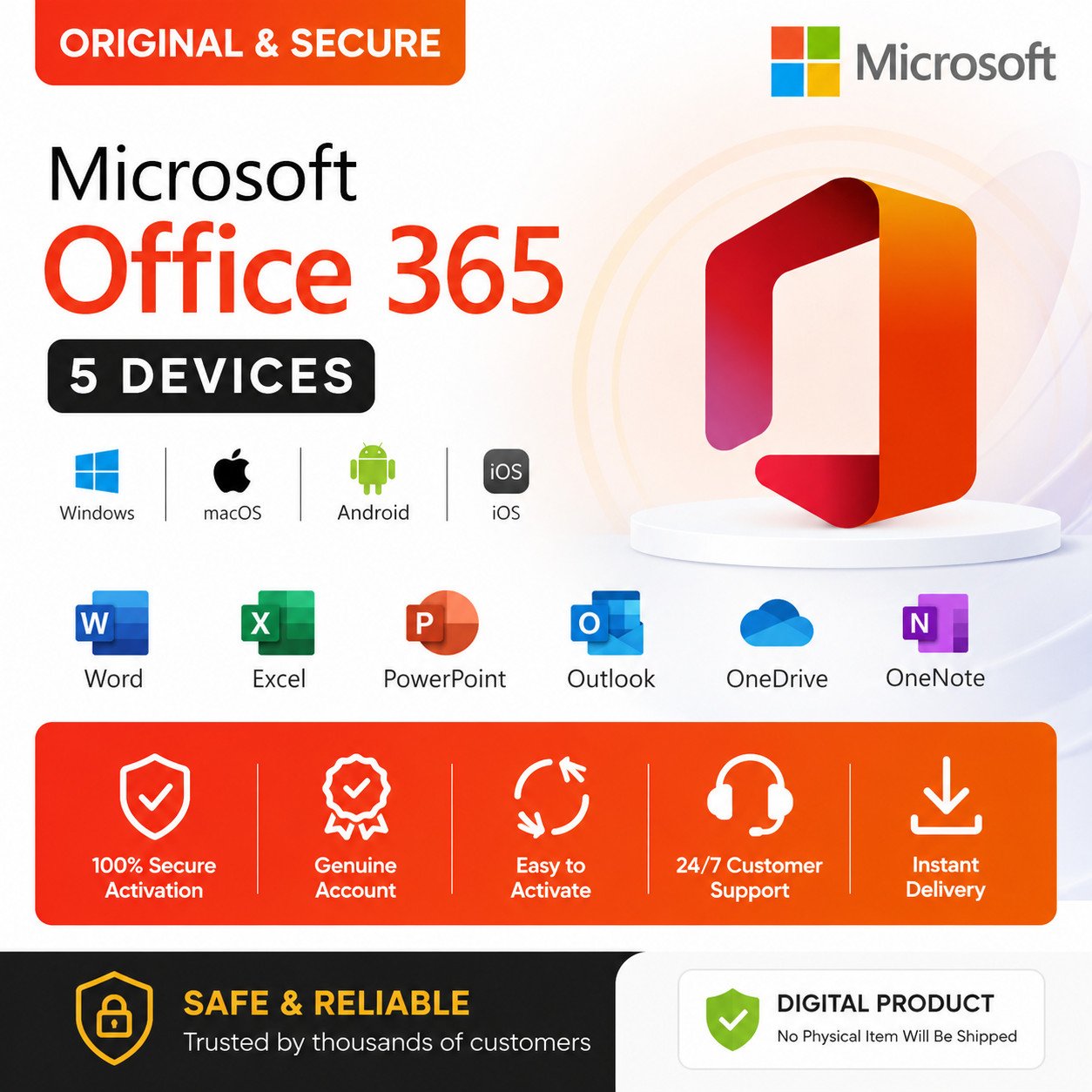
Office Professional Plus 365 5 User Lifetime
रु 1,499.00
Get instant lifetime access to the full Office suite (Word, Excel, PowerPoint, Outlook, OneNote, Publisher, Access) on up to 5 devices (PC, Mac, iPad, Android). Includes official updates and global language support. No monthly fees.*
Delivered instantly via email as a Premium Login ID. Does not include OneDrive or Copilot. [Read More]
- 2-hour delivery
- 7-day replacement
- NPR pricing — no dollar card
eSewaKhaltiIME PayConnectIPSBank
Description
Office Professional Plus 365 – The Full Suite, One Price, Five Devices
You shouldn’t have to pay every month just to open a Word document or build a spreadsheet. This plan gives you the complete Office Professional Plus 365 suite on up to five devices for a single one-time payment. No subscriptions. No renewals. No surprises.
Whether you’re a student juggling assignments, a freelancer managing clients, or a small business running day-to-day operations, this covers everything you need to get work done properly.
What’s in the Suite?
You get the full lineup of professional-grade applications:
- Word – Documents, reports, letters, resumes. The works.
- Excel – Spreadsheets, formulas, charts, data analysis.
- PowerPoint – Presentations that actually look professional.
- Outlook – Email, calendar, and contacts in one place.
- OneNote – Digital notebooks for meetings, classes, and ideas.
- Publisher – Flyers, brochures, newsletters, and print materials.
- Access – Databases for when spreadsheets aren’t enough.
All of them. Unlocked. No trial periods. No feature restrictions.
Where Can You Use It?
Install and activate on up to 5 devices under one account:
- Windows PC (32-bit and 64-bit)
- Mac
- iPad
- iPhone
- Android phones and tablets
Mix and match however you like. Use it on your work laptop, home desktop, and tablet. It’s flexible.
How Delivery Works
This isn’t a traditional product key. Activation happens through a Premium ID.
- You place your order and complete payment.
- Within minutes, we send an email to your inbox. It contains your Premium ID (a unique login like username@domain.co.uk), a temporary password, official download links, and step-by-step installation instructions.
- You download Office from the official source.
- Open any app. Sign in with the Premium ID. Set your own password.
- Done. Everything is activated.
The whole process takes about 10–15 minutes from purchase to a fully working setup.
What You Get Beyond the Apps
- Official updates: Security patches, bug fixes, and feature improvements pushed regularly.
- All languages supported. Works anywhere in the world.
- Works on fresh installations and existing setups. No need to wipe your system.
- Your account is secured for long-term use with a password you control.
What’s Not Included
Let’s be upfront so there are no surprises later:
- No OneDrive cloud storage. Your files save locally on your device. Which, honestly, is fine for most people and keeps your data entirely in your hands.
- No Copilot AI. That’s a separate premium service and isn’t part of this activation plan.
Everything else in the core Office suite works exactly as it should.
Who Is This For?
- Students who need Word, Excel, and PowerPoint for coursework.
- Freelancers and remote workers managing documents and communication.
- Small businesses that can’t justify a monthly subscription per employee.
- Anyone tired of “Activate Windows” style nagging on their Office apps.
- People switching from pirated or expired versions to something legitimate and stable.
Frequently Asked Questions
Is this a product key? No. You receive a Premium Login ID and password instead. It activates the same way a subscription would, just without the recurring cost.
Will this ID be shared with others? Your Premium ID is unique to you. It’s generated specifically for your purchase. Nobody else uses it.
Can I use my personal email inside Outlook? Yes. The Premium ID is only for activating Office. You can still add and use your own Gmail, Yahoo, or any other email account inside the Outlook app.
Does it work on an already installed copy of Office? Yes. If you already have Office installed, just sign in with the Premium ID and it activates. No reinstall needed.
What happens if I forget my password? You set your own password during first login. If you forget it, standard account recovery steps apply. We recommend writing it down somewhere safe after you set it.
How long does access last? The account is secured for long-term use under current service terms. There are no monthly or yearly fees from our side.*
Important Notes
- Do not change the account email or recovery settings. This is the number one reason people lock themselves out.
- The Premium ID is for your use only. Don’t share it.
- Internet connection is required during initial activation.
- This is a digital product. Nothing ships physically.
- Delivery is via email. Double-check your email address at checkout.
*“Lifetime” refers to the validity of the provided account under current service terms. Access is subject to the provider’s policies and may be affected by changes beyond our control. We stand behind our product and will assist you if any issues arise. [View Full Terms]
Additional information
Keep exploring
Fresh picks · every visit
You may also like.
-

Custom Logo Design – Build a Brand That Stands Out
Price range: रु 1,500.00 through रु 5,000.00 Select options This product has multiple variants. The options may be chosen on the product page -

Windows 11 License Key – Genuine | Lifetime Activation
Price range: रु 999.00 through रु 1,299.00 Select options This product has multiple variants. The options may be chosen on the product page -

Canva Pro – 1 Year Premium Access | Team Account
रु 1,299.00 Add to cart -

WordPress Setup, Fix & Maintenance Service
Price range: रु 1,000.00 through रु 10,000.00 Select options This product has multiple variants. The options may be chosen on the product page